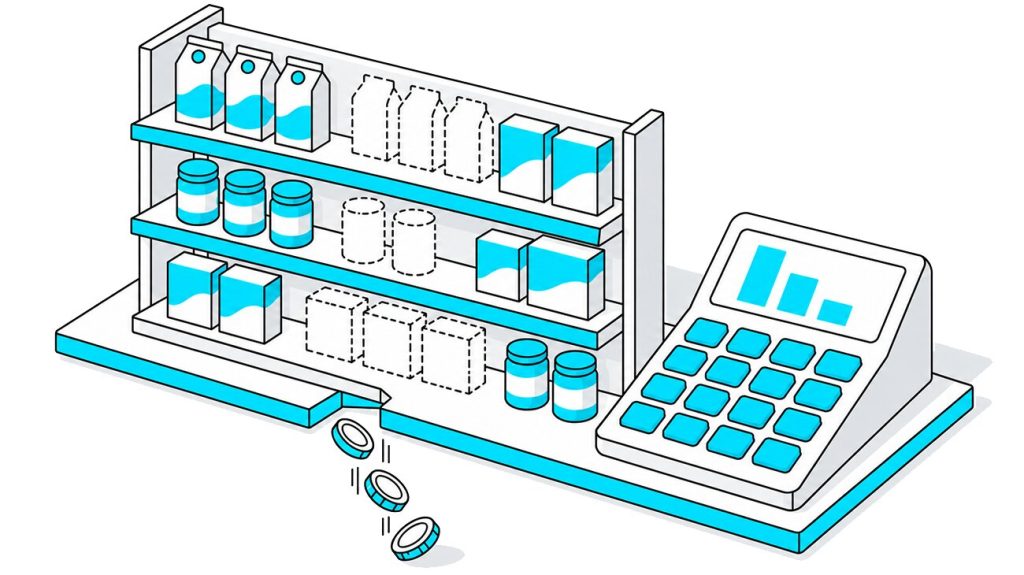


CPG brands pay retailers for shelf space, secondary displays, and promotions. Yet a planogram approved on Monday may not match the shelf a week later: a top-selling product is missing, a paid display hasn’t been set up, or a competitor has taken the space.
A retail audit helps the field team find these gaps, measure them against agreed standards, and record what needs to be fixed. This guide includes a free store audit checklist and a copy-ready retail audit template that you can adapt to your business.
The cost of missing products alone is high. IHL Group estimated that out-of-stocks cost retailers worldwide $1.2 trillion in 2025. This estimate covers several reasons why shoppers cannot find or buy a product, not just empty shelves.
This guide explains what a retail audit is, which types exist, which KPIs to track, and how to run an audit in eight steps. It also shows how to calculate a compliance score with weighted questions and knock-out items, then assign corrective actions to the right people.
Table of Content:
- Key Takeaways
- What Is a Retail Audit?
- Why Retail Audits Matter for Brands and Retailers
- Types of Retail Audits
- What to Measure: Key Retail Audit KPIs
- Merchandising KPIs
- How to Run a Retail Audit: 8 Steps
- Free Store Audit Checklist
- How to Adapt the Retail Audit Template to Your Business
- 7 Retail Audit Mistakes (and How to Fix Them)
- Manual vs. Digital Retail Audits
- How Goods Checker Helps You Run Retail Audits Across Every Store
- FAQ
- Final Thoughts
Key Takeaways

- A retail audit compares what is on the shelf with an agreed standard and turns the result into a score that you can compare across stores.
- An audit needs a standard first, so prepare planograms, a must-stock list, price lists, and a promo calendar before you write the checklist.
- Yes/no questions, weighted scoring, and knock-out items make scores from different auditors comparable.
- Audit frequency depends on the store tier, and stores with high sales and high risk get the most visits.
- An audit pays off when every failed item gets an owner, a deadline, and a re-check.
What Is a Retail Audit?
A retail audit is a structured check of how a store presents and sells products against an agreed standard. An auditor visits the store, records product availability, shelf placement, prices, promotions, and competitor activity on a checklist, and turns the answers into a score that the company can compare across stores and over time.
Brands and retailers run audits for different reasons. A CPG manufacturer or distributor checks whether the store follows the planogram, keeps the agreed assortment on the shelf, and runs the promotions the brand paid for. Field reps, merchandisers, or a merchandising agency do this work, and the industry calls it retail execution.
A retailer audits its own stores. Store and district managers check cleanliness, staff, safety, and pricing accuracy, so that every location in the chain works to the same standard.
Brands and retailers may check some of the same areas, but their priorities differ. Brands focus on shelf availability, planogram compliance, prices, promotions, and competitors. Retailers also check store operations, staff, safety, and customer experience. This guide takes the position of the brand, and it gives the retailer’s items as an optional block in the checklist.
Retail Audit vs. Store Visit vs. Mystery Shopping
A store visit and an in-store audit can happen on the same day, and they still have different purposes. During a store visit, a rep talks to the manager and takes an order. During an audit, the rep measures the store against a standard and records a score.
| Retail audit | Store visit | Mystery shopping | Inventory or financial audit | |
|---|---|---|---|---|
|
Purpose
|
Measure the store against a standard
|
Maintain the relationship, take orders, fix the shelf
|
Evaluate service as a shopper sees it
|
Reconcile stock and financial records
|
|
Who runs it
|
Field rep, merchandiser, agency, district manager
|
Sales rep, merchandiser
|
Anonymous third-party shopper
|
Accountants, inventory teams
|
|
Format
|
Standard checklist with photos
|
Free form, a short store visit report
|
Scenario and questionnaire
|
Counts and document review
|
|
Result
|
Compliance score, list of issues
|
Order, notes |
Service score, narrative
|
Stock variance, financial findings
|
|
Frequency
|
Weekly to monthly, by store tier
|
By route plan
|
Monthly to quarterly
|
Quarterly to yearly
|
An inventory or financial audit deals with stock counts, shrinkage, and cash records. It answers accounting questions, and this guide doesn’t cover it.
Why Retail Audits Matter for Brands and Retailers
A regular audit program gives a brand five results, which affect revenue or trade spend.
- Fewer out-of-stocks. An auditor who finds an empty facing can check the backroom and restock the shelf during the same visit. The IHL estimate above shows how large these losses are across the industry, and our article on the consequences of out-of-stock explains what the brand and the store each lose.
- Control over planograms and paid placements. A brand that pays for eye-level placement needs proof that the store provides it. In one Goods Checker project, a gas station chain raised planogram compliance from 50% to 90% after it started to check every shelf photo against the planogram.
- Return on trade promotion spend. A promotion that the brand funded brings no return in a store that never built the display. An audit in the first days of the campaign finds these stores while the promotion is still running. Our guide to trade promotion ROI shows how to measure this effect on the shelf.
- Competitor data from the shelf. Auditors see competitor prices, promotions, and new SKUs before this information appears in syndicated reports. A regional manager can react to a competitor’s price cut within days.
- Comparable data for decisions. One checklist and one scoring system let you rank stores, regions, and field reps. Many brands build these scores into a Perfect Store program and tie bonuses to them.
Types of Retail Audits
Companies run six types of retail audits, and most programs combine several of them in one visit.
Merchandising and Shelf Audit
A merchandising audit, also called a shelf audit, checks planogram compliance, the number of facings, share of shelf, and on-shelf availability. Field reps and merchandisers run it on every visit to a key store. For a CPG brand, this is the core audit type, because it shows whether the store gives the product the space and position in the contract.
Price Audit
A price audit checks that every SKU has a price tag, that the tag is placed under the right product, and that the price matches the current shelf or checkout price and any applicable promotional terms. Brands run it during promotions and after price list changes. Our guide to price tag analysis covers the method in detail.
Promotional and POSM Compliance Audit
This audit checks trade promotion compliance. The auditor confirms that the store built the promotional display, placed the secondary display where the contract says, installed POSM (point-of-sale materials), and kept the promotion dates. Brands run it in the first days of a campaign, when a missing display still leaves time to fix the problem.
Competitor Audit
A competitor audit records the prices, promotions, new products, and shelf share of competing brands. Field reps collect this data during regular visits, and category and trade marketing managers use it for pricing decisions. We describe the process in our article on competitor price monitoring.
Store Operations and Safety Audit
A store operations audit belongs to the retailer. Store and district managers check cleanliness, staffing, opening and closing procedures, and safety rules. Large retail chains may use short daily checks for routine store operations and schedule more detailed audits separately. The frequency depends on the store format, internal standards, and risk level.
Customer Experience Audit (Mystery Shopping)
In mystery shopping, an anonymous shopper visits the store and evaluates service, staff knowledge, and checkout. Retailers and some brands with trained in-store consultants use it once a month or once a quarter.
| Type | What it checks | Who runs it | Typical frequency |
|---|---|---|---|
|
Merchandising and shelf audit
|
Planogram, facings, share of shelf, availability
|
Field reps, merchandisers, agencies
|
Weekly to monthly
|
|
Price audit
|
Price tags, recommended and promo prices
|
Field reps, merchandisers
|
Every visit, plus after price changes
|
|
Promotional and POSM audit
|
Displays, POSM, promo dates
|
Field reps, agencies
|
At promo start and mid-campaign
|
|
Competitor audit
|
Competitor prices, promos, new SKUs
|
Field reps
|
Every visit or monthly
|
|
Store operations and safety
|
Cleanliness, staff, procedures, safety
|
Store and district managers
|
Daily checks, monthly full audit
|
|
Mystery shopping
|
Service as a shopper sees it
|
Third-party shoppers
|
Monthly to quarterly
|
What to Measure: Key Retail Audit KPIs
A checklist produces answers, and KPIs turn these answers into numbers that management can track. The following nine KPIs cover the main parts of a retail audit program, from shelf conditions to field team performance.
| KPI | What it shows | Formula | How to set the target |
|---|---|---|---|
|
On-shelf availability (OSA)
|
Share of listed SKUs that shoppers can buy from the shelf
|
Must-stock SKUs available on the shelf / must-stock SKUs applicable to the store × 100
|
Start from your baseline and the level in the retailer agreement
|
|
Out-of-stock (OOS) rate
|
Share of listed SKUs missing from the shelf
|
100% minus OSA
|
Mirror of the OSA target
|
|
Planogram compliance
|
How closely the shelf matches the planogram
|
Correctly placed SKUs / SKUs in the planogram × 100
|
Your contract standard, by store format
|
|
Your part of the category space
|
Your brand’s facings / all category facings × 100. Use shelf width instead if your agreement measures linear space.
|
The share in your contract or your market share
|
|
|
Price compliance
|
Share of SKUs with a correct price
|
SKUs with correct price and tag / SKUs checked × 100
|
Your price policy
|
|
Promo and POSM compliance
|
Share of stores that set up the promotion as agreed
|
Compliant stores / stores in the promotion × 100
|
100% for placements you paid for
|
|
Audit (compliance) score
|
Overall result of the store
|
Points earned / points possible × 100
|
Pass threshold from your baseline
|
|
Audit completion rate
|
Discipline of the field team
|
Completed audits / planned audits × 100
|
Your route plan
|
|
Time to resolve issues
|
Speed of corrective actions
|
Average time from issue detection to confirmed resolution
|
Shorter than the interval between visits
|
We give no universal target values, because they depend on the category, the store format, and the contract. Measure your baseline over the first four to six weeks, and set targets from there.
Merchandising KPIs
Which Metrics Truly Drive Sales and Which Are Just an Illusion of Control
How to Run a Retail Audit: 8 Steps
The retail audit process below works for a brand with its own field team and for a merchandising agency. Each step ends with a tip and a mistake that we see often.
Step 1. Define the Goal and Scope of the Audit
Decide what you want to learn before you write a single checklist item. A routine compliance check, a promotion launch, a new SKU rollout, and a review of an agency’s work each need a different set of questions. Then define the scope, that is, the retailers, store formats, and categories that the audit covers.
Tip. Write the goal as one question, for example, “Did the stores build our summer display by the start date?”
Mistake. Teams try to check everything in one audit, and the checklist grows past what a rep can finish in one visit.
Step 2. Set the Standard: Planograms, Price Lists, and Promo Calendar
An auditor can evaluate a shelf only against a standard. Collect the documents that describe the correct shelf, which include planograms for each store format, a must-stock list (the SKUs that every store of a given format has to carry), recommended and promotional prices, the promo calendar, and the contract terms with each retailer. Our guide to merchandising standards explains how to write these rules down.
Tip. Give auditors the standard inside the checklist or the app, so they don’t search for it in email.
Mistake. The field team works from last quarter’s planogram.
Step 3. Build Your Store Audit Checklist
Turn the standard into questions. Five rules keep the checklist usable.
- Ask yes/no questions and avoid 1 to 5 scales, because two auditors rarely give the same scale rating to the same shelf.
- For a focused shelf audit, start with 30 to 50 scored items. A broader template can include additional informational questions and optional retailer checks.
- Group items by store zone, in the order the auditor walks through the store.
- Mark the items where the auditor has to take a photo.
- Add an N/A option, so that items that don’t apply to a store leave its score unchanged.
You can start from the template below and remove what you don’t need.
Mistake. A question such as “Is the shelf in good condition?” has no clear answer. Write “Does every SKU have the number of facings in the planogram?”
Step 4. Create a Scoring System
A score lets you compare stores, so every item needs a weight. Split items into three priority levels and give each level a number of points. The weights below are an example, and you set your own by the effect of each item on sales.
| Priority | Points | Examples |
|---|---|---|
|
Critical |
5
|
Top-selling SKU on the shelf, correct promo price, paid display in place
|
|
Major |
3 |
Number of facings, brand block, price tag under each SKU
|
|
Minor |
1
|
Clean shelf, readable tag, POSM without damage
|
Then choose knock-out items. A knock-out item is a critical item that fails the whole audit when the answer is “No”, whatever the total score is. A missing top-selling SKU and a missing paid display are typical choices.
The formula is audit score = points earned / points possible × 100.
Example (illustrative numbers). A checklist has 40 scored items, of which 8 are critical, 20 are major, and 12 are minor. The maximum is 8 × 5 + 20 × 3 + 12 × 1 = 112 points. In one store, two minor items don’t apply, so the possible total drops to 110. The store fails one critical item, four major items, and three minor items, and it loses 5 + 12 + 3 = 20 points. The audit score is 90 / 110 × 100 = 81.8%.
With a pass threshold of 80%, this store passes. If the failed critical item were a knock-out item, the store would fail the audit with the same 81.8%.
Mistake. All items carry equal weight, and a store with a missing top seller gets the same score as a store with a dusty shelf.
Step 5. Prioritize Stores and Set Audit Frequency
Your team can’t visit every store every week, so rank the stores. Split them into tiers A, B, and C by sales volume and by risk, for example, a history of low scores or a new store manager. The table shows a starting point that you can adjust to your route capacity.
| Store tier | Who is in it | Routine audit | Extra audits |
|---|---|---|---|
|
A |
Highest sales, key accounts, high risk
|
Weekly |
Promo start, new SKU launch, shelf reset
|
|
B |
Medium sales, stable scores
|
Every two weeks
|
Promo start, new SKU launch
|
|
C |
Low sales, small formats
|
Monthly
|
Major promotions only
|
Mistake. Every store gets the same number of visits, and reps spend as much time in a small convenience store as in a Walmart Supercenter.
Step 6. Train and Calibrate Your Auditors
Two auditors have to give the same store the same score. Explain each checklist item with photo examples of “Yes” and “No”. Then run calibration visits, where two people audit the same store separately and compare their answers. Every item with different answers needs a clearer definition.
Photo rules belong in the same training. Auditors shoot the shelf straight on, without glare, with the whole bay in the frame, as we describe in 12 rules for shelf photos.
Mistake. New reps get the checklist and no training, and their scores run higher or lower than the team average for months.
Step 7. Conduct the In-Store Audit
A fixed route through the store keeps the audit complete and repeatable. A typical visit follows ten stops.
- Check in at the store, with GPS and time recorded.
- Greet the store or department manager and explain the purpose of the visit.
- Check the backroom for stock of your SKUs.
- Walk the main shelf with the checklist.
- Check prices and price tags.
- Check promotions, secondary displays, and POSM.
- Record competitor activity.
- Take the required photos.
- Fix what you can on the spot, such as facings, tags, and restocking from the backroom.
- Review open issues with the manager and get a sign-off.
The time per store depends on the number of SKUs and on the tools.In a Goods Checker project with merchandising agency Lex Marketing, reporting time fell from about an hour to 20 minutes, while outlet audit time decreased by 10–50%, depending on store size.
Illustrative example. A field rep audits the salty snacks section in a Kroger store. All must-stock SKUs are on the shelf. The price tag for the promoted item shows the regular price, two SKUs have fewer facings than the planogram, a competitor’s bag is placed inside the brand block, and the shelf strip is missing. The rep fixes the facings and removes the competitor’s product during the visit. The price tag and the shelf strip go to the store manager with a deadline before the weekend.
Mistake. The auditor fills in the checklist in the car after the visit, from memory.
Step 8. Analyze Results and Assign Corrective Actions
An audit that ends with a report and no action only documents the problem. Every failed item needs an owner, a deadline, and a re-check on the next visit.
On the management side, build dashboards that compare stores, regions, and field reps and show the trend over time. A drop in one store’s score points to the store, and the same failed item across a whole chain points to the contract or to supply. Audit data gives more when it sits next to sales data, and we explain how to connect them in the article on integrating shelf audits with CRM and BI.
Mistake. Management reviews audit results once a quarter, when the promotions in the report have already ended.
Free Store Audit Checklist
This retail audit template has nine blocks and follows the route from Step 7. Copy the tables into your own document, or download the file and edit it.
How to Adapt the Retail Audit Template to Your Business
The template covers the widest case, and most teams need only part of it. Remove the blocks that don’t match your goal from Step 1 and add items specific to your category.
For FMCG and CPG Brands
Keep blocks 2 to 7 and put the weight on the must-stock list, share of shelf, promotions, and trade equipment. Beverage and ice cream brands expand block 6, because coolers hold a large part of their sales. Remove block 8, or keep only the items that affect how your products look.
For Distributors and Merchandising Agencies
An agency audits the same store for several brand clients, so add a brand field to each block and build one report per client. Add control items for your own team, such as GPS check-in and photo time stamps. Our case study shows how a merchandising agency halved the time to audit an outlet after it changed this process.
For Pharmacy Chains and Pharma Brands
Pharmacies such as CVS and Walgreens split products between the open floor and the area behind the counter. Add items for OTC (over-the-counter) placement at the checkout, visibility of products behind the counter, and the pharmacist’s recommendation. Check local rules on advertising materials before you audit POSM. More ideas are in our article on pharmacy merchandising.
For Multi-Store Retailers
Make block 8 the core of the audit and expand it with opening and closing procedures, staffing, and backroom order. Keep the pricing block, because wrong tags cause complaints at the register. Use one store audit template for every location, so that district managers can compare stores.
7 Retail Audit Mistakes (and How to Fix Them)
These seven mistakes make audit data less reliable, and each has a direct fix.
- An overloaded checklist. A list of 150 items takes so long that auditors rush through it. Cut it to the 30 to 50 items that affect sales or contract terms.
- Subjective scales. Ratings from 1 to 5 depend on the auditor. Replace them with yes/no questions that describe the standard.
- No photo evidence. A report without photos gives the manager no way to check the answers, and some reports describe visits that never happened. Require photos for critical items and block uploads from the phone gallery.
- Slow data. Results on paper or in spreadsheets reach management weeks after the visit. Collect answers in a mobile app, so the office sees them the same day.
- A sample of stores. Auditing a few stores per region leaves most of the network unchecked. Tier the stores, as in Step 5, and give every store at least a monthly check.
- No owner and no re-check. Issues stay open when nobody is responsible for them. Assign each failed item to a person with a deadline, and open the next visit with these items.
- No calibration. Scores differ between auditors when each one interprets items in a personal way. Run calibration visits at least once a quarter.
Field reps also face obstacles inside the store, and we describe them in Top 3 Difficulties When a Merchandiser Performs a Store Audit.
Manual vs. Digital Retail Audits
Paper forms and spreadsheets work for a few dozen stores. As the number of stores and SKUs grows, the manual process slows down, and teams move to a retail audit app and then to image recognition.
| Criterion | Paper or Excel | Mobile audit app | Mobile app with image recognition |
|---|---|---|---|
|
Time per store
|
Longest, because the rep counts and writes by hand
|
Shorter, because the rep taps answers
|
Shortest, because the rep takes photos and the system counts
|
|
Accuracy |
Depends on the rep’s attention
|
Depends on the rep’s attention
|
Consistent, because the system applies the same rules to every photo
|
|
Photo evidence
|
Separate, hard to match to answers
|
Attached to each item
|
Every answer comes from a photo
|
|
Data speed
|
Days to weeks
|
Same day
|
Minutes after the photo
|
|
Network coverage
|
A sample of stores
|
All visited stores
|
All visited stores, every photo processed
|
|
Cost as stores grow
|
Grows with headcount
|
Grows more slowly
|
Lowest per store
|
How Image Recognition Automates Shelf Audits
Image recognition takes over the counting part of a shelf audit. The process has five steps.
- The merchandiser photographs the shelf in the app.
- The system recognizes every product in the photo at the SKU level.
- The system compares the shelf with the planogram and calculates OSA, facings, and share of shelf.
- The merchandiser gets a list of deviations while still in the store and fixes them.
- The manager sees the results on a dashboard, by store, region, and employee.
The auditor still answers the questions that a photo can’t cover, such as backroom stock or the conversation with the store manager. Our articles on image recognition in retail and computer vision in retail explain the technology in plain language.
How Goods Checker Helps You Run Retail Audits Across Every Store
Goods Checker is retail audit software that combines a mobile app, product recognition, and planograms in one platform. Three modules cover the steps from this guide.
Check & Go. Check & Go is the mobile app for field reps. It shows stores on a map and builds routes, works online and offline, merges several photos of a long shelf into one, and checks photo quality. The app compares the shelf with the planogram during the visit and sends deviations to the manager.
Shelf Eye. Shelf Eye is the recognition and analytics module. It calculates share of shelf for your SKUs and for competitors, finds out-of-stocks and gaps on the shelf, reads price tags, and reports by category, store, and employee.
Plano Creator. Plano Creator is the planogram editor. The planograms you build in it become the standard for comparison in the app.
According to Goods Checker data, the platform recognizes products with up to 98% accuracy, cuts the time for audits and data processing by up to 45%, and processes 100% of merchandiser visits. FMCG manufacturers see up to 7% sales growth in retail. Results from retail, pharma, and food service projects are in our AI-powered store audit case studies.
FAQ
What is a retail audit?
A retail audit is a structured check of a store against an agreed standard. An auditor records product availability, shelf placement, prices, promotions, and competitor activity on a checklist. The answers produce a compliance score that the brand or the retailer compares across stores and over time.
What should be included in a store audit checklist?
A store audit checklist includes visit details, product availability, shelf placement and planogram compliance, pricing, promotions and POSM, trade equipment, competitor activity, and a sign-off block. Retailers add store conditions and staff. Keep the list to 30 to 60 yes/no items with priorities and photo requirements.
How often should you conduct a retail audit?
Audit frequency depends on the store tier. A workable starting point is weekly audits for tier A stores, audits every two weeks for tier B, and monthly audits for tier C. Add extra audits at the start of a promotion, at a new SKU launch, and after a shelf reset.
How long does a store audit take?
A store audit takes from a few minutes to about an hour, depending on the number of SKUs and the tools. In Goods Checker projects, a merchandising agency cut reporting on one store from about an hour to about 20 minutes, and pharmacy visits for a drug manufacturer take under five minutes.
Who conducts retail audits?
Field reps, merchandisers, and merchandising agencies conduct audits for brands and distributors. Store managers and district managers conduct them for retailers. Mystery shopping uses anonymous third-party shoppers, and some brands add supervisors who re-check a sample of stores.
What is the difference between a retail audit and a store visit?
A retail audit measures the store against a standard and produces a score, while a store visit covers the relationship, orders, and shelf work. An audit uses the same checklist in every store, so its results are comparable. A store visit can include an audit, and many do.
What is a good retail audit score?
A good retail audit score is one that meets your pass threshold with no failed knock-out items. The threshold comes from your own baseline, since categories and store formats differ. Measure current scores for four to six weeks, set the threshold slightly above the average, and raise it as stores improve.
Can retail audits be automated?
Yes, a large part of a retail audit can be automated. A mobile app replaces paper forms and delivers data the same day. Image recognition counts facings, finds out-of-stocks, and checks planogram compliance from shelf photos. The auditor still handles backroom checks, conversations with store staff, and fixes on the shelf.
Final Thoughts
A retail audit is a control system, and it works when three parts are in place. The first part is a standard, that is, planograms, a must-stock list, prices, and a promo calendar. The second is objective scoring with yes/no questions, weights, and knock-out items. The third is corrective action with an owner, a deadline, and a re-check.
Start with the template from this guide and one category in your tier A stores. Run it for a month, calibrate the auditors, and then expand it to the other tiers.
When the number of stores outgrows what your team can check by hand, image recognition takes over the counting and leaves the rep time for fixing the shelf.