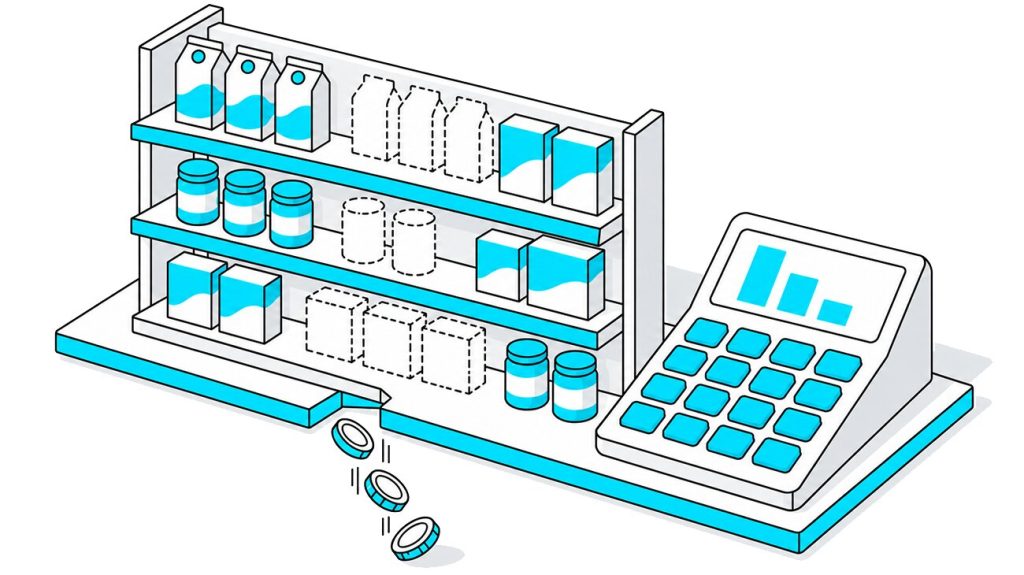


A shopper checks your website, sees “in stock,” drives to the store, and finds an empty spot on the shelf where the product should be. The system counted five units while the shelf held none. Nobody in the company knew, because every report showed the item as available.
The reverse happens too. The system records a SKU as zero, yet a few units still sit on the shelf and sell to whoever walks by, while the automatic reorder never fires. In both cases the stock figure in the system does not match the real quantity on the shelf, and staff trust the figure over the shelf in front of them.
These two situations look similar from a distance, but they are different problems with different price tags. One is an honest shortage that the system can see and act on. The other is a hidden shortage that the system cannot see at all, which makes it more expensive over time. This article explains what out-of-stock, zero inventory, and phantom inventory actually mean, where each one costs you money, and why you can only manage them with data and shelf-level visibility rather than a staff member’s occasional walk down the aisle.
Table of Contents
- What Is Out of Stock (OOS) and Zero Inventory?
- What Is Phantom Inventory?
- Out-of-Stock vs Phantom Inventory: What's the Difference in Practice?
- Where Businesses Lose Money with Classic Out-of-Stocks
- Why Phantom Inventory Creates Longer-Term Business Risks
- Typical Root Causes of OOS and Phantom Inventory
- How to Detect Out-of-Stocks and Phantom Inventory Before Shoppers Walk Away
- Managing OOS and Phantom Inventory with Data, Analytics and Automation
- How Goods Checker Helps You See the Real Shelf (Not Only the System Numbers)
- You Can't Fix What You Can't See
- FAQ: Out-of-Stock vs Phantom Inventory
What Is Out of Stock (OOS) and Zero Inventory?
What is out of stock in retail? Out-of-stock (OOS) means that a product a shopper wants to buy is unavailable, while the retailer’s system may or may not correctly reflect the real shelf situation. A product a shopper wants to buy is not on the shelf, and the retailer’s system knows it. On-shelf availability (OSA) drops to zero for that SKU, the count reads zero, and the gap is visible to anyone looking at the data.
It helps to separate two things people often blur together.
- True out-of-stock (zero inventory). The store has genuinely run out of an SKU. The system shows zero on hand, the shelf is empty, and there is nothing in the backroom to pull forward. Here the record matches what is on the shelf.
- Short-term absence. The product is temporarily off the shelf but on its way, for example, a delivery arriving that afternoon or a case waiting to be unpacked. The gap is real for the shopper standing there, but it closes on its own within hours.
The key point is what an honest out-of-stock does for you. When the system sees a real zero, it can act. Reorder logic triggers, a safety-stock breach raises an alert, and a replenishment order goes out. The shortage costs you sales while it lasts, but the system is working as designed, and the data shows what needs fixing.
The widely cited GMA worldwide out-of-stock study put the average retail OOS rate at roughly 8%, about one item in twelve missing from the shelf at any given time, and found out-of-stocks cost retailers around 4% of sales. Those are losses you can at least see coming. With phantom inventory, the recorded numbers no longer match the real shelf, and the resulting losses are much harder to spot.
What Is Phantom Inventory?

Phantom (virtual) inventory is stock that a retailer’s system records as available but that is not actually on the shelf for a shopper to buy. The digital count shows the product on hand even though the shelf is empty.
The unit might be sitting in a backroom that nobody pulled forward, or it might be misplaced two aisles over. It might have been stolen, damaged, or thrown out without anyone updating the record. However it happened, the book count and the physical count no longer match, and the system keeps reporting a product that shoppers cannot find.
You will see this called by several names, all pointing to the same gap between the record and the shelf: ghost inventory, virtual inventory, phantom stock, phantom stockouts, or book-versus-physical variance. The broader term for the problem is inventory record inaccuracy, sometimes called inventory distortion. Whatever the label, the effect is a shortage that the system still counts as stock.
Phantom inventory is common enough to shape the whole out-of-stock problem. Research summarized by several retail-analytics firms, tracing back to work from the MIT Center for Transportation and Logistics, attributes up to 80% of out-of-stock events to phantom inventory rather than true depletion. Retail Aware estimates phantom discrepancies account for roughly 8% of total retail inventory loss. Most empty shelves, in other words, are not empty because the store sold out. They are empty because the store still counts the product as in stock.
Out-of-Stock vs Phantom Inventory: What's the Difference in Practice?
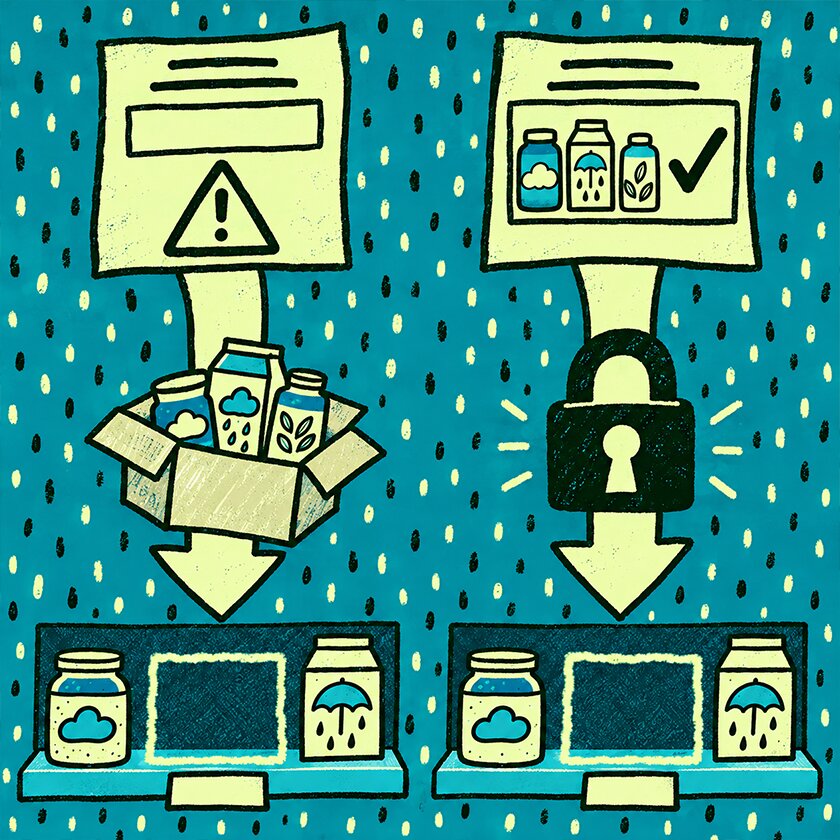
The difference comes down to what the system knows and whether it can act. Compare the same empty shelf under both conditions.
System vs Shelf: The Same Empty Shelf Can Mean Different Problems
| Situation | What the system sees | What the shopper sees | Business impact |
|---|---|---|---|
|
Real OOS / Zero Inventory
|
0 units available
|
Empty shelf
|
Lost sales, but the system can trigger replenishment
|
|
Phantom Inventory
|
Stock available (for example, 5 units)
|
Empty shelf
|
Hidden shortage, no reorder, inaccurate forecasts
|
|
Backroom Stock Not Replenished
|
Inventory exists in the store, but not available for purchase
|
Empty shelf
|
Lost sales caused by execution failure
|
|
Misplaced Product
|
Inventory exists, but location is unknown or incorrect
|
Shopper cannot find it
|
Availability problem despite having stock
|
The key difference is not the empty shelf itself. The key question is whether the inventory system recognizes the problem and triggers the right action.
Real OOS / Zero Inventory: A Visible Problem with a Clear Signal
With an honest out-of-stock, the system shows zero, so it responds. It flags a safety-stock breach, sends a low-stock alert, and generates a reorder. The shelf is empty and you are losing sales, but the process built to fix shortages is working. The problem is unpleasant and also self-correcting, because the data itself triggers replenishment.
Phantom Inventory: An Invisible Shortage That Freezes Replenishment
With phantom inventory, the system shows five units, so it does nothing. It sends no alert, generates no reorder, and raises no flag. The reorder logic looks at a positive on-hand number and concludes there is nothing to fix. The shelf can stay empty for weeks while the system reports the product as available the entire time.
This is why phantom inventory works as a hidden driver of out-of-stock. Systems that rely only on POS sales and ERP records cannot see it, because from their point of view nothing is wrong. The shelf shows one thing and the database shows another, and staff act on the database.
Where Businesses Lose Money with Classic Out-of-Stocks

Start with the honest out-of-stock, because its costs are the easier ones to trace. When the shelf is empty and the system knows it, you lose money in a few clear ways.
Direct Lost Sales and Shelf Share Erosion
The first loss is immediate. A shopper wants the product, it is not there, and the sale does not happen. Many of those shoppers do not wait. They reach for the competitor sitting right next to your empty slot, and that purchase now belongs to another brand.
Repeat the pattern often enough and it costs more than single transactions. Retailers watch which brands keep the shelf full and which ones leave gaps, and they adjust facings accordingly. A brand that is regularly out loses share of shelf and weakens its position in the next range review.
Damage to Loyalty and Brand Perception
An empty shelf shows the shopper that your product is not reliably there when they need it. Some shrug and come back later. Others switch brands and stay switched, because the competitor they tried during your stockout turned out to be fine.
This cost is slow and hard to see in a single report, which is why it gets underestimated. One in three shoppers reports running into store-system errors, and every one of those moments reduces the trust that brings people back.
Short-Term Forecasting Noise
Out-of-stocks also distort the demand data, even the honest kind. When a product sells zero units because the shelf was empty, that zero can look like weak demand rather than a supply gap. Left unflagged, those events make the SKU look more volatile than it really is, and that noise carries into the next planning cycle.
Why Phantom Inventory Creates Longer-Term Business Risks

Classic out-of-stocks hurt while they last and then resolve. Phantom inventory does something worse, because the system never registers that there is a problem to solve.
Frozen Replenishment and Long-Term Empty Shelves
Safety-stock and reorder logic only work when the system believes stock is low. Phantom inventory keeps the on-hand number positive, so that logic never engages. The shelf can sit empty for a long time while the system reports the product as available, and no automatic order ever goes out to refill it.
One consumer-goods manufacturer studied by MIT researchers lost about 5% of its total revenue with a single retailer during a major promotion, because out-of-stocks went uncorrected while demand was at its peak. The demand was there, the product was not on the shelf, and the system gave no warning.
Distorted Demand Signals and Bad Forecasts
Phantom inventory distorts forecasts in a specific way. The system sees a product marked as in stock, then sees zero sales against it, and draws the obvious conclusion that nobody wants this SKU. The real reason for the zero is an empty shelf, but the model reads it as an absence of demand.
That false reading does lasting damage. The forecast comes down, the next order shrinks, and the product gets less shelf space in the following review. A product that sells well can drop out of the range because a phantom count made it look slow, and the same error repeats up the supply chain.
Frozen Working Capital and Wrong Inventory Mix
Phantom inventory rarely means you are holding too little overall. More often it means the wrong mix in the wrong places. The system records certain units as sitting on the shelf, but those units may be lost, misplaced, or stuck in a backroom. The company has already paid for them, so that money stays tied up in stock that no one can sell, instead of paying for products that would actually sell.
The result is cash frozen in inventory that cannot move, alongside empty shelves where the product should be earning. The IHL Group estimates that out-of-stocks, overstocks, and preventable returns together tie up roughly $1.75 trillion globally in what it calls the “ghost economy,” with inventory distortion at the center of it.
Typical Root Causes of OOS and Phantom Inventory

Phantom inventory does not appear on its own. It comes from ordinary breakdowns between the shelf and the record, and a handful of causes account for most of it.
Shrink, Theft and Unrecorded Damage
Products get stolen, broken, or spoiled, and the physical loss happens before the record is updated, if it is updated at all. The item leaves the shelf, but the system still counts it. Total retail shrink reached $112.1 billion in 2022 by the National Retail Federation’s count, and every unrecorded loss inside that figure becomes a phantom unit in some database.
Backroom Not Pulled Forward
The store has the product, just not where shoppers can reach it. Cases sit in the backroom, unopened, while the front shelf stays empty. The system sees healthy on-hand stock and concludes everything is fine, so nobody gets prompted to bring the product out.
Misplacement, Plugs and Planogram Drift
A product ends up in the wrong slot, or a neighboring SKU spreads over to fill an empty facing, a practice known as a plug. The item exists somewhere in the store, but not where the planogram says it should be. To the system nothing looks wrong, and to the shopper the product is simply gone.
Receiving, Scanning and Data-Entry Errors
Mistakes at intake affect everything downstream. A miscounted delivery, a wrong SKU scanned, a quantity keyed in wrong, and the on-hand number is inflated or understated from the start. RFID rollouts show how large this gap can be, often taking inventory accuracy from around 70% up past 99% simply by removing manual counting errors.
How to Detect Out-of-Stocks and Phantom Inventory Before Shoppers Walk Away

You cannot fix a shortage you cannot see, and phantom inventory is the hardest kind to see. Detection methods range from cheap and slow to accurate and continuous.
Basic Methods: POS Data and Manual Counts
The starting point is what most retailers already have. You watch POS data for zero-sales flags, run cycle counts, and send staff to audit shelves by hand. These methods are inexpensive and better than nothing, but slow and error-prone. A manual count is out of date the moment it is finished, and a zero-sales flag on its own cannot tell you whether demand dried up or the shelf went empty.
Advanced Analytics and Predictive Models
The next step is to let algorithms look for the contradiction that defines phantom inventory. Machine-learning models watch each SKU for one clear pattern, steady sales that suddenly drop to zero while the system still shows healthy stock. That combination is a reliable sign of a phantom stockout, and a model can flag it across thousands of stores far faster than any auditor. Exception-based counting built on this idea has shown sharp reductions in balance errors and inventory discrepancies, plus a measurable lift in product availability.
Computer Vision and Shelf-Scanning Solutions
Analytics can tell you something looks wrong. Computer vision tells you what the shelf actually holds. A photo of the shelf, read automatically, shows the real state of the shelf, whether the product is physically absent, sitting in the wrong slot, or still in the backroom. That distinction matters, because each situation needs a different fix, and only shelf-level data can tell them apart. Here the record finally gets checked against reality instead of against another record.
Managing OOS and Phantom Inventory with Data, Analytics and Automation
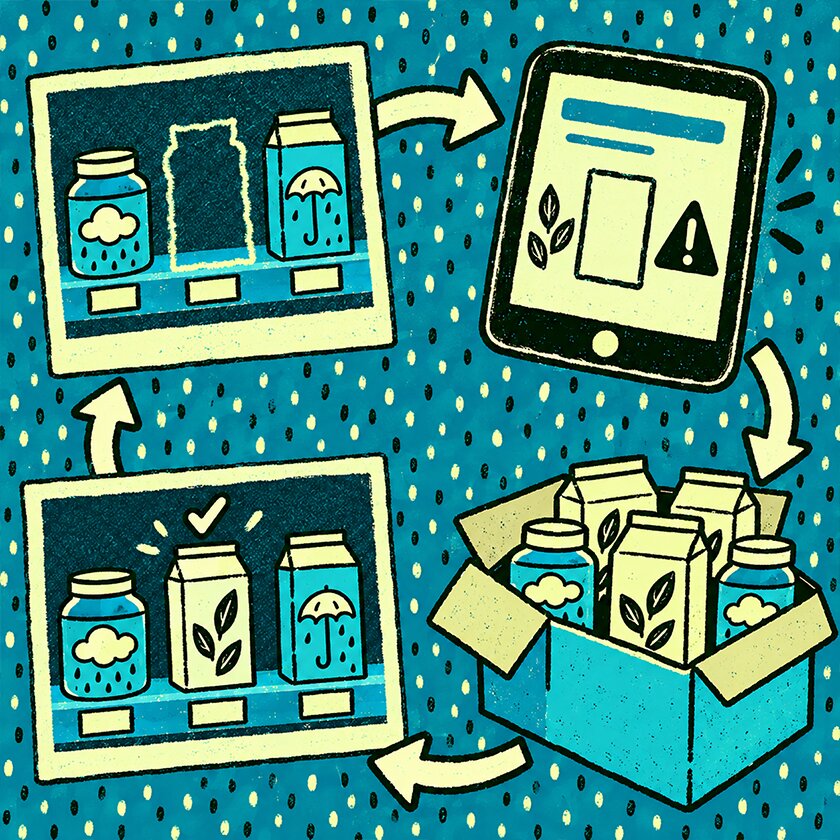
Detection is only useful if it feeds action. Managing both honest out-of-stocks and phantom inventory means connecting what the shelf shows to what the systems do.
Build a Single, Trusted View of On-Shelf Availability (OSA)
The goal is one view everyone can trust. Real shelf data, ERP and inventory records, and POS sales all describe the same store, and today they often show different numbers for the same product. Bringing them into a single view of on-shelf availability shows where the record and the shelf differ, which is exactly where phantom inventory occurs.
Close the Loop Between Shelf Reality and Replenishment Systems
The fix is a loop, not a report. Shelf data from a photo or an audit reveals the true count, the system record gets corrected, the frozen phantom units come off the books, and normal reorder logic runs again and puts the product back on the shelf. Without that loop, you find the problem and the system keeps ignoring it.
Track Impact: OSA Improvements, Sales Lift and Forecast Accuracy
Once phantom errors are cleared, measure what changes. Watch OSA, the sales that follow, and whether your forecasts get closer to reality. Analysts including Appriss and Wiser estimate that every 1% gain in on-shelf availability produces roughly a 0.5% lift in sales. That ratio turns shelf accuracy from a routine operational metric into a revenue figure your finance team can use.
How Goods Checker Helps You See the Real Shelf (Not Only the System Numbers)

Most tools in a retail systems often compare one digital record against another. Closing the gap between the record and the shelf takes a look at the shelf itself, which is what shelf-intelligence tools do.
Computer Vision for Real On-Shelf Availability
In practice, this is what Goods Checker does for FMCG teams. A merchandiser photographs the shelf, and computer vision reads the image and reports what is actually there, which SKUs are present, which are missing, where a product sits in the wrong slot, and where a facing has been plugged by a neighbor.
“That is enough to separate a true out-of-stock from a phantom one, because the photo shows whether the product is genuinely gone, misplaced on the floor, or waiting in the backroom. A merchandising agency running this across more than 4,500 outlets cut audit time per store by about 60% and reporting time by around 70%, at 95%-plus recognition accuracy.”

Linking Shelf Data with Inventory and KPIs
Shelf data becomes useful when it feeds other systems. It flows into analytics and inventory records, so KPIs reflect reality, conversations with the retailer are based on evidence, and replenishment decisions start from what is really on the shelf. A pharmaceutical manufacturer used the same approach across 8,800 pharmacies to hold recognition accuracy above 90% while keeping visits under five minutes, and a fuel-station chain lifted planogram compliance from 50% to 90% across 500 remote outlets. None of this removes the need for an inventory system. It gives that system the one input it was missing, which is what the shelf actually looks like.
You Can't Fix What You Can't See

Out-of-stock and phantom inventory are two different problems behind the same empty shelf. An honest out-of-stock is a visible loss with a built-in signal, so the system that caused it can also help fix it. Phantom inventory is the invisible version, and it is often the more expensive one, because it freezes replenishment, distorts forecasts, and ties up cash while every report says nothing is wrong.
The common thread is visibility. You cannot manage either one by trusting the system count alone or by sending someone to check the aisles now and then. It takes data, analytics, and shelf-level automation working together, so the record finally matches the shelf, and the shelf matches what your shoppers actually find.
FAQ: Out-of-Stock vs Phantom Inventory
What is out of stock in retail?
Out-of-stock means a product a shopper wants to buy is not on the shelf, and the retailer’s system correctly shows zero on hand. It is an honest shortage, and because the system can see it, reorder and alert logic can act on it.
What is phantom inventory?
Phantom inventory is stock the system records as available that is not physically on the shelf. The count says the product is on hand while the shelf is empty, usually because of theft, damage, misplacement, backroom stock that was never pulled forward, or a data-entry error.
How is phantom inventory different from a regular out-of-stock?
With a regular out-of-stock the system shows zero and triggers a reorder. With phantom inventory the system shows stock on hand, so it does nothing, and the shelf can stay empty for weeks while every report says the product is available.
Why is phantom inventory so dangerous for forecasting?
The system sees a positive stock count and zero sales, then reads that as weak demand rather than an empty shelf. The forecast for the SKU falls, the next order shrinks, and a product that actually sells can lose shelf space because a false count made it look slow.
How can retailers and suppliers reduce phantom inventory?
The most reliable approach combines several methods. Use POS and cycle counts as a baseline, add analytics that flag SKUs with healthy stock but sudden zero sales, and use computer vision to check the real shelf against the record. Then close the loop by correcting the record so replenishment can fire again.
What causes phantom inventory?
Phantom inventory comes from ordinary breakdowns between the shelf and the record. The main causes are shrink, theft, and unrecorded damage, stock that stays in the backroom and never reaches the shelf, misplacement and plugs where a neighboring SKU fills an empty facing, and receiving or scanning errors that inflate or understate the on-hand number from the start.